
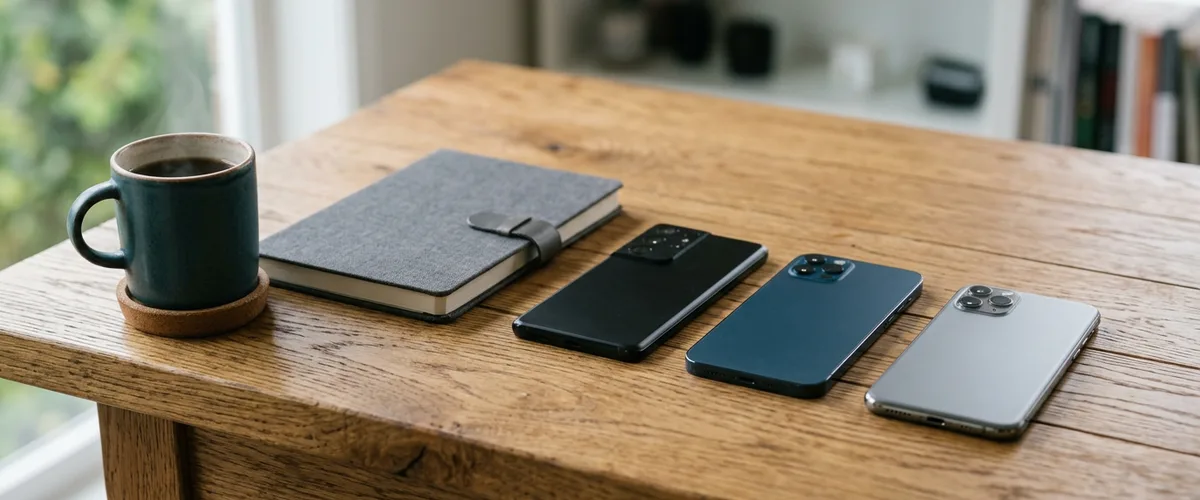
A Microsoft passkey is the sign-in method Microsoft is steering staff toward as it retires its own SMS and voice codes on February 1, 2027. Staff unlock it on their phone or computer with a PIN, fingerprint, or face.
From where your staff sit, the change is simple to describe. Microsoft stops texting codes. No calls, either. For anyone whose only MFA method today is one of those codes, the switch isn’t optional, and it’s worth walking through before the date, ideally with the person who manages your Microsoft 365 accounts in the room and a calendar in front of them. The rest of what we cover on the Microsoft side lives under Cloud & Microsoft 365.

What Changes on February 1, 2027
Microsoft has published three dates, and they apply to different people. I’d print this table and tape it up where the person who manages your accounts can see it.
| Date | What happens | Who it covers |
|---|---|---|
| September 1, 2026 | Passkeys become the default sign-in experience, and people enabled for SMS or voice get a snoozable prompt to register one | Users enabled for SMS or voice codes, unless the tenant used Microsoft’s temporary opt-out |
| February 1, 2027 | Microsoft stops delivering SMS and voice codes; anyone whose only MFA method was one of them must register a passkey to keep signing in | Everyone except Global Administrators and external users, internal guests and other admin roles included |
| July 1, 2027 | The same retirement reaches the last group | Global Administrators and external users |
The sources are Microsoft Learn’s page on the retirement, last updated September 23, 2026, and Microsoft’s retirement FAQ. Read the wording closely. What retires is Microsoft’s own delivery of text and voice codes. Codes generated in an authenticator app stay supported after February 1, if your organization allows them, and a business can still send text codes through a telephony provider it sets up and pays for. Our SMS and voice retirement guide walks through the same timeline from the administrator’s side.
Here’s the catch. After the date, someone whose only MFA method is a text or voice code gets a passkey prompt they can’t skip, and Microsoft says they must register a passkey before they can finish signing in, with no opt-out from that enforcement for any tenant. The people it hits are the ones who never set up anything but a phone number.
What a Microsoft Passkey Looks Like at Sign-In
I explain a passkey this way. You create it one time, on whatever device you’re using. After that, on that same device, you stop getting asked for a code over and over.
It still checks that you are you. Verification stays. Microsoft’s passkey overview says every sign-in attempt needs you present at the device to unlock it, with a PIN, a fingerprint, or your face. The check moved, from a code you could be tricked into typing on a fake website to a gesture on your own device. I have to be careful here, because people hear “no more codes” and assume nobody checks them anymore. That is wrong.
Why does it hold up better? A passkey is a pair of keys. The private key stays on your device, or for a synced passkey is encrypted and kept by your passkey provider, while Microsoft holds only the public key, and the pair works only on the site it was made for. So a fake login page has nothing to collect. Nothing gets typed. CISA’s 2022 fact sheet on phishing-resistant MFA puts FIDO/WebAuthn, the standard passkeys are built on, at the top of its strongest-to-weakest list and calls phishing-resistant MFA “the gold standard.” Text and voice codes sit at the bottom. “Last resort,” it says.
Device-Bound or Synced Microsoft Passkey: What Your Staff Gets
This detail decides how much trouble a new phone causes.
Microsoft Entra ID supports two kinds. A device-bound passkey is created and kept on one device, such as the passkey in Microsoft Authenticator, a passkey on a Windows PC, or a hardware security key. A synced passkey is encrypted and stored with a passkey provider such as iCloud Keychain or Google Password Manager, so a person’s other devices signed in to that provider can use it. Microsoft’s passkey FAQ recommends device-bound passkeys for administrators and highly privileged users, and synced passkeys for everyone else.
Which kinds your staff can register is an administrator setting. For the people Microsoft switched on automatically on September 1, it allows every type.
Authenticator passkeys are device-bound only. They can’t be synced or restored to a new phone.
Say someone loses a phone. The Authenticator passkey goes with it. They sign in with another method they’ve set up, or with a Temporary Access Pass from an administrator if your tenant uses them, and then register a new passkey on the replacement phone. An administrator can delete the lost one from the account. They should. Microsoft notes passkeys have no automatic expiration. Microsoft also says administrators can’t see which devices hold a copy of a synced passkey, so if strict control over devices matters to your business, that points toward device-bound.
Where Passkey Sign-In Trips People Up
The trouble spot I keep coming back to is the phone itself. Not the passkey. Microsoft’s requirements for passkeys in Authenticator are iOS 17 or later, or Android 14 or later. On Android, the phone also needs secure hardware to store the key, and without it, registration fails. Android 14 has one more catch, because manufacturers decide whether to support the Android interfaces Authenticator uses for passkeys, and Microsoft recommends Android 15 for the best experience.

An older phone may simply be out of the running. It happens. We’re looking into alternatives for clients whose phones can’t run it, but I won’t tell you there’s a finished answer today. Is that your office? Talk to your IT provider now. Microsoft’s documentation points to a FIDO2 security key, Windows Hello for Business on a work computer, or time-based codes from an authenticator app, which stay supported after February 1 but aren’t phishing-resistant. Our guide to Microsoft Authenticator without a phone compares those options one by one.
A few smaller details from Microsoft’s own documentation.
- On Android, changing the phone’s PIN, or switching biometric sign-in from fingerprint to face or back, invalidates the Authenticator passkey, and a new one is needed.
- No internet, no Authenticator passkey. The phone holding it must be online.
- One passkey per account in Authenticator, and for now it works only with Microsoft Entra ID.
- Someone with both a work profile and a personal profile on Android should create a passkey in each profile they sign in from.
Why Microsoft Is Dropping Text Codes
Microsoft’s retirement FAQ is blunt. SMS and voice, it says, are “among the most vulnerable authentication methods available today.” Its main retirement page names phishing and SIM-swap attacks among the ones passkeys resist. We covered the FBI’s SIM-swap complaint figures in why MFA alone isn’t enough, so I won’t repeat them.
My own read is that the risk is real but uneven. I’ve put it this way before: “It is a security risk, but it’s one of those, like, very scaled security risks. Very high effort. So it better be high reward.” That’s my view of who gets targeted. It isn’t a measurement. CISA’s fact sheet lists text and voice codes as open to phishing, SIM swapping, and attacks on SS7, a signalling protocol phone networks use, and it strongly urges system administrators and other high-value targets to plan their move to phishing-resistant MFA. It reaches everyone anyway. The useful question is how to get your people through it with the least friction.
What an Office Should Do Before February
Here is the order I’d work in. Simple enough.
- Find out who still relies on a text or voice code. Microsoft publishes a PowerShell script for exactly that in its retirement guidance.
- Tell staff what is coming, in plain words. Anyone still enabled for text or voice codes may already be seeing Microsoft’s passkey prompt, which started September 1 unless your administrator used the temporary opt-out.
- Have people register a passkey on a day of your choosing, not at a prompt they can’t skip on a busy morning.
- Sort out the phones that can’t hold an Authenticator passkey, and pick a security key or another method for those people.
- Check Global Administrator accounts separately. Their date is July 1, 2027, but other administrator roles follow February 1, and Microsoft recommends device-bound passkeys for admins.
Some businesses will genuinely need text codes for a regulatory, operational, or technical reason. Since October 30, 2026, Microsoft lets them set up their own telephony provider through the Microsoft Security Store, with Soprano and Telesign among the providers listed. It isn’t free. Microsoft’s FAQ says pricing varies by provider and region, and that moving people to passkeys, by contrast, carries no additional cost. Treat the telephony route as a deliberate decision, not a default.
We’ve worked with offices across Rockland, Westchester, and Bergen counties since 2004. For the licensing side of the identity layer, see our breakdown of identity and access management costs. If a departing employee or a lost admin sign-in is the worry, start with who owns the company Microsoft account.
Things Staff Ask About the Switch
Will the February 1 change lock people out of Microsoft 365?
Is a passkey just a password nobody has to type?
What happens to the passkey when someone gets a new phone?
My phone is too old for Authenticator. Now what?
Do administrators get more time?
Can some people keep getting text codes?
Talk with our team about moving your staff to passkeys and what to do about older phones. No cost, no obligation.