
Commercial WiFi installation, planned and managed by your IT team.
If your office needs commercial WiFi installation, VJNetworks designs it, installs it and then manages it, across Rockland, Westchester and Bergen. Larger sites get a survey first, and a subcontractor pulls the cable.
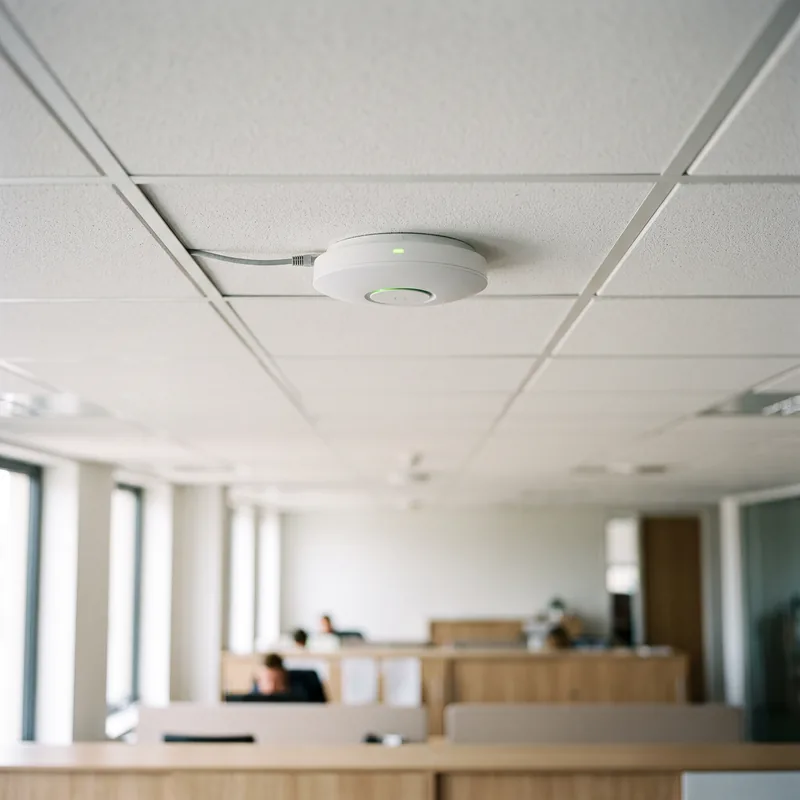
VJNetworks designs, installs and manages business Wi-Fi across Rockland, Westchester and Bergen. On larger sites we start with a survey. On every job, we plan where the access points go, install and configure them, and keep them running inside the same relationship as the managed IT services we run for small businesses. Only the cable pull goes to someone else.
Wi-Fi here is part of the relationship, not a separate package.
Subcontracted, and it gets done.
We try not to run the cable for the access points ourselves. When a new Wi-Fi deployment or a new drop needs wiring, we find a subcontractor for the pull and it gets done, and once the cable is run, the rest of the job comes back to us.
This is the work we actually do.
We do site surveys on larger installs, planning, installation, configuration, troubleshooting and ongoing management, so once the cable is in, the access points, the settings and the support all belong to us. That’s our side.
In Mike Stoveken’s experience, moving offices is a common time for a business to change IT companies.
Wi-Fi is sold here as one part of running your IT, not on its own.

The building decides how many access points you need.
Square footage, layout and building type set the count. Headcount alone won’t settle it. One of our clients has 45 people on two access points, because the office is all cubicles. On the other end of the scale, we support nursing homes that run 50 or more access points, and a tiny office can get by on one, which is the job Mike Stoveken’s $900 estimate describes.
Larger installs get a site survey first. A tiny office with one access point usually skips it.
The two client examples are real, described here without identifying details. Your building decides your count.
Every part of the Wi-Fi job except the cable pull.
Not every office needs every part. A short conversation tells us which parts you do.
Site Survey on Larger Installs
Larger installs get a site survey before the access points are planned. Tiny offices rarely need one.
Planning and Access Point Count
How many access points, and where, comes from the square footage, the layout and the type of building. Headcount alone doesn’t decide it.
Installation and Mounting
Access points mounted, patched in and powered once the cable is in. The rest is ours.
Configuration and Security
Network names, encryption and radio settings are set on purpose. NIST lists weak security configurations, chosen for convenience, among the reasons wireless networks are typically less secure than wired ones.
Guest and Staff Separation
Visitors get their own network, logically separated from staff devices, as NIST recommends. Here is how separating guest WiFi from your business network works.
Power over Ethernet Planning
Access points that run on Power over Ethernet take their power from the network cable, so the plan covers where that power comes from.
Troubleshooting
Dead spots. Dropped calls. Slow afternoons. We trace the cause, and you can start with why office WiFi slows down in the afternoon.
Ongoing Management
Changes, additions and upkeep as the office grows or moves, handled by the same team that installed the access points.
Moving offices or adding a floor?
Bring us in early, and we’ll talk through the Wi-Fi with you.
TALK WITH OUR TEAM ↗︎What commercial WiFi installation costs depends on the building.
There is no package price for Wi-Fi here, because Wi-Fi isn’t sold as a standalone package, and a tiny office with one access point and a nursing home with 50 or more access points have completely different cost profiles.
Mike Stoveken puts the low end at about $900, for a tiny office that needs one access point, and above that he sees no clear ceiling, since the cost grows with the size of the business, the building or the campus.
That is his estimate from experience. It isn’t measured data. It isn’t a quote either. Square footage, layout and building type move the number.
For the longer breakdown, read what business WiFi costs to design and install.
Four steps, with what is covered spelled out first.
Talk Through the Space
We start by talking through your building and what you have in place now. Larger sites get a survey.
Plan and Scope
Next we decide where each access point goes and how it gets power and a connection. Before work starts, we spell out what is covered and what isn’t.
Cabling, If Needed
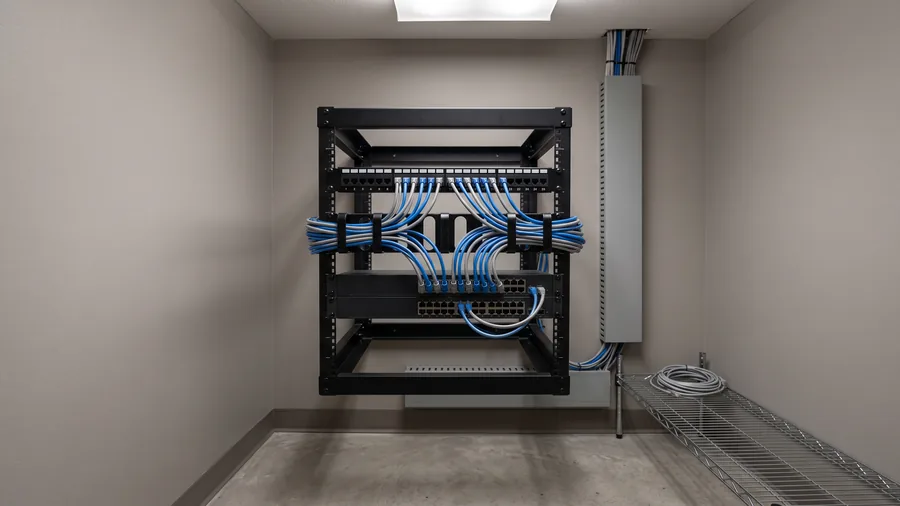
Need new drops? We find a subcontractor for the wiring, and it gets done. The structured cabling and network installation page has the longer version of that split.
Install, Configure, Support
Access points get mounted, set up and tested, then they join the rest of your network and our management. Problems come to us.
Is this the right way to get Wi-Fi for your office?
You’re after a one-off Wi-Fi package with no ongoing relationship. We don’t sell that. Better to say so now.
Your office is in NYC’s five boroughs or on Long Island. We don’t serve either, and that is by choice.
Twenty-two years in the Tri-State area.
Wi-Fi changes when the office changes.
Offices change after the install. Maybe the team doubles. Maybe somebody adds a conference room, or the lease runs out.
Because Wi-Fi is sold here as part of an ongoing relationship, the same team that installed the access points handles those changes. NIST’s wireless guidance calls for verifying security settings and adjusting them as needed, and it says those checks should happen at least as often for the wireless network as they do for the organization’s equivalent wired systems.
Prefer that we run it day to day? Plans for managed IT start at $995 a month. Hardware, such as access points and switches, is a separate purchase.
About commercial Wi-Fi installation and management.
Who handles commercial WiFi installation for businesses in Rockland, Westchester and Bergen?
VJNetworks designs, installs and then manages commercial WiFi for offices in Rockland, Westchester and Bergen. On a larger site we survey first, and on every site we place the access points, configure them and support them, while a subcontractor we bring in handles the physical cable pull. VJNetworks has worked in the Tri-State area since 2004.
How much does it cost to install business Wi-Fi?
Mike Stoveken puts the low end at about $900 for a tiny office with one access point, and he sees no clear ceiling. Think estimate, not quote. Square footage, layout and building type move the cost. Our guide to what business WiFi costs to design and install breaks the numbers down further.
How many access points does an office need?
It depends less on headcount than on the building. One client has 45 people on two access points, because the office is all cubicles, and we support nursing homes that run 50 or more. Same technology, different buildings. Square footage, layout and building type decide the count, and larger sites get a survey.
Do you do a Wi-Fi site survey?
On larger installs, yes. A tiny office with one access point usually doesn’t need a formal survey, but a bigger building gets one before the access points are planned, and we’ll tell you which your space is.
Do you run the network cable yourselves?
Not the physical pull. We try not to run the cable for access points ourselves, so when new wiring is needed we find a subcontractor and it gets done, and everything after the cable is in stays with us. That part is ours.
Can we get Wi-Fi installed without signing up for managed IT?
We install Wi-Fi as part of an ongoing IT relationship, not as a standalone package. If you already have an internal IT person, co-managed IT is another way to start. If you only want a one-time install, we would rather say so up front.
Should guests be on the same Wi-Fi network as our staff?
Guests belong on their own network. NIST guidance (SP 800-153) calls for logically separated wireless networks for guests and for internal use, so that a device on the guest network cannot connect to devices on your other networks. We set that up as part of the Wi-Fi configuration. The full reasoning is in our post on separating guest WiFi from your business network.
Further reading. The Wi-Fi Alliance notes that WPA3 is mandatory for Wi-Fi CERTIFIED devices and that WPA3-Personal gives increased protection from password-guessing attempts. NIST SP 800-153 (2012) sets out guidelines for securing wireless local area networks, including separate networks for guests. IEEE 802.3bt-2018 raised the power available over Ethernet by using all four pairs of the cable.
VJNetworks runs the network, the security, Microsoft 365, the backups and the help desk end to end. You run the business.
Ready to talk about IT for your business?
22 years in the Tri-State area, 97% client retention and a 15-minute response standard. No cost, no obligation.