

Microsoft-provided SMS and voice authentication retires for most users on February 1, 2027. Unless the organization pays for a telephony provider, users whose only MFA method is SMS or voice must then register a passkey to keep signing in.
The change is in Microsoft Entra ID, the identity service Microsoft 365 uses for business accounts, and it falls under the cybersecurity work we do for small businesses across Rockland, Westchester and Bergen counties. It lands on people, not on servers. Nobody’s phone stops working on February 1. What changes is what a staff member who relies on text codes sees the next time they sign in.
Two caveats before the detail. Microsoft revised its FAQ on the retirement as recently as October 2026, so check its pages before you act on anything below. Check first. And we are still looking into options for people whose phones can’t hold a passkey, which means that section has no finished answer, and we would rather say so now than let a tidy paragraph hide it.

What Happens to SMS MFA on February 1, 2027
Microsoft-provided SMS and voice authentication means the text-message codes and automated phone calls that Microsoft itself sends to verify a sign-in. With a call, the person presses the # key instead of typing a code. No code at all. The retirement covers multifactor sign-in and self-service password reset. MFA is not going away. Passkeys, Windows Hello for Business and other phishing-resistant methods keep working, and Microsoft says verification codes from an authenticator app stay supported.
Here is the timeline from Microsoft’s retirement article on Microsoft Learn.
| Date | What happens | Who it covers |
|---|---|---|
| September 1, 2026 | Passkeys switched on automatically and sign-in nudges to register one began, unless the tenant opted out | Users enabled for SMS or voice |
| October 30, 2026 | Setup opens for a paid telephony provider from Microsoft Security Store | Organizations that need to keep SMS or voice |
| February 1, 2027 | Microsoft-provided SMS and voice retire; people with no other method get a blocking passkey prompt | Everyone except Global Administrators and external users, internal guests included |
| July 1, 2027 | The same retirement and the same blocking prompt | Global Administrators and external users |
Microsoft says this timeline applies to its public cloud, with other cloud environments to follow later.
The first date has passed. Unless your tenant opted out, staff enabled for text codes have been nudged toward a passkey when they complete MFA since September, and by default Microsoft lets them snooze that nudge as often as they like. For people whose only method is a text or a call, February 1 ends the snoozing. An admin could delay the automatic rollout with a temporary opt-out, but Microsoft states that there is no opt-out from the February 1 enforcement.
What Your Staff Will See When SMS MFA Ends
Microsoft’s FAQ says people won’t be locked out. They get stopped instead. A person whose only method is a text or a call reaches a prompt to register a passkey, and the sign-in doesn’t continue until they do. That assumes they have a device that can hold a passkey, which is the older-phone question further down.
A passkey is a pair of cryptographic keys, and the private half stays on the person’s device or, for a synced passkey, in their passkey provider’s encrypted store. Each sign-in needs a fingerprint, face or PIN on that device to unlock it. No text to wait for. Microsoft supports two kinds. Synced passkeys live in a credential manager such as iCloud Keychain or Google Password Manager and follow the person across their devices, while device-bound ones, such as the passkey in Microsoft Authenticator or a FIDO2 security key, are created on one device and never leave it. Our Microsoft passkey sign-in guide covers what happens to a device-bound passkey when someone replaces a phone.
Staff who already registered and use verification codes in an authenticator app don’t get the blocking prompt, because Microsoft says those codes stay supported after February 1. Good news there.
Password reset is different. A passkey can’t reset a forgotten password. Microsoft’s self-service password reset accepts Authenticator notifications, code apps, hardware OATH tokens (in preview), email one-time passcodes, and the SMS and voice methods that are retiring, so anyone who resets with a texted code needs another reset method registered. Check yours. Global Administrators and external users get until July 1, 2027, while internal guests follow February 1. If you aren’t sure who holds your Global Administrator role, settle that first, and our piece on who owns the company Microsoft account explains why it matters.
Why Microsoft Is Ending SMS MFA, and How Big the Risk Is
Microsoft’s stated reason is blunt. Its FAQ says SMS and voice “are among the most vulnerable authentication methods available today and provide significantly weaker protection against phishing and account compromise than passkeys.” NIST points the same direction. Its SP 800-63B-4 guidance, final since July 2025, says that use of the phone network for out-of-band verification “is restricted.” We covered the wider argument in why MFA alone isn’t enough, so we won’t repeat it here.
Mike Stoveken, who handles operations and technical work at VJNetworks, raised this change on a call before anyone asked him about it. “Microsoft is getting rid of the ability to use a text message as an authentication method,” he said.
Mike’s read is gentler. “SMS in the United States is pretty secure,” he said, but “the higher level target that you are” changes the picture, whether that is the CEO of a Fortune 500 company or a government official. He pointed to the SMS network phones have been operating on for 20 or 30 years, and described attackers who can “clone their SIM card or act like you’re authoritative for that phone number.” Then this. “It is a security risk, but it’s one of those, like, very scaled security risks. Very high effort. So it better be high reward.”
The attacks have names. The FBI’s 2022 warning on SIM swapping describes criminals targeting mobile carriers so that a victim’s calls and texts go to the criminal’s device, one-time passcodes included. The other route runs through SS7, which the FCC describes as one of the protocols carriers use to route calls and text messages between networks, and in March 2024 the FCC asked for public comment on how carriers defend against its known weaknesses. CISA’s December 2024 mobile guidance adds that SMS messages are not encrypted, so “a threat actor with access to a telecommunication provider’s network who intercepts these messages can read them.”
That CISA guidance is written for highly targeted people. Mike’s point, again. In our view, the more likely trouble for a typical small office isn’t an attacker. It’s an employee meeting the passkey prompt for the first time on February 1, with work waiting.
What to Do Before SMS MFA Ends
None of this needs an identity engineer. It needs a list, a decision and a few weeks. Start early.
- Find out who is set up for texts or calls. Microsoft’s free, read-only PowerShell script, the Entra SMS and voice usage analyzer, reports whether SMS and voice are enabled and which groups they cover, along with your registration campaign and the migration state of the older MFA and password reset settings. Its own page notes that it doesn’t count individual people or check sign-in activity. For that, the Authentication methods activity report in the Microsoft Entra admin center lists the methods each person has registered, and Microsoft says it needs an Entra ID P1 or P2 license.
- Pick a replacement for each group of people. Microsoft’s guidance points most users to synced passkeys, and someone with a current phone can also use the passkey in Microsoft Authenticator.
- Give the accounts that would hurt most a hardware key, meaning your Microsoft 365 administrators and whoever approves payments. Microsoft recommends FIDO2 security keys for people with elevated privileges, while noting they add equipment and help-desk cost, especially when keys get lost. Our guide to what identity and access management costs a 50-person business put the keys at a few hundred dollars, one time.
- Tell staff before Microsoft does. Microsoft itself calls coordinated communication “the single biggest predictor of a smooth passkey rollout.”
- Let people register on your schedule. A registration campaign, set in the Entra admin center, prompts them to set up a passkey the next time they sign in and complete MFA.
- Check password reset separately, since a passkey can’t be used for it.
- Test with a handful of people first, and make sure one of them has the oldest phone in the office.
There is one other road. It costs money. A business can keep SMS and voice only by contracting its own telephony provider. Microsoft’s telephony provider page lists Soprano and Telesign, both sold through Microsoft Security Store, and also names Infobip, and Microsoft set October 30, 2026 as the date setup opens. You pay the provider’s fees plus Azure costs for a function that runs in your own subscription, and your organization deploys and operates that integration, manages the provider account and configures fraud controls. Microsoft says to use this route only for people with a business, regulatory or technical requirement. Moving SMS and voice users to passkeys carries no additional cost, according to Microsoft’s FAQ. Hardware keys, if you buy them, are the exception.
In our view, for most small offices the provider route is the harder road, because somebody has to own the integration for as long as it runs.
Staff With Older Phones
Mike raised the older-phone problem on the same call. Fair concern. A text message works on nearly any phone. Authenticator passkeys don’t. Microsoft lists Android 14 or later, or iOS 17 or later, as a requirement for passkeys in Microsoft Authenticator, so a phone that can’t update that far can’t hold one.
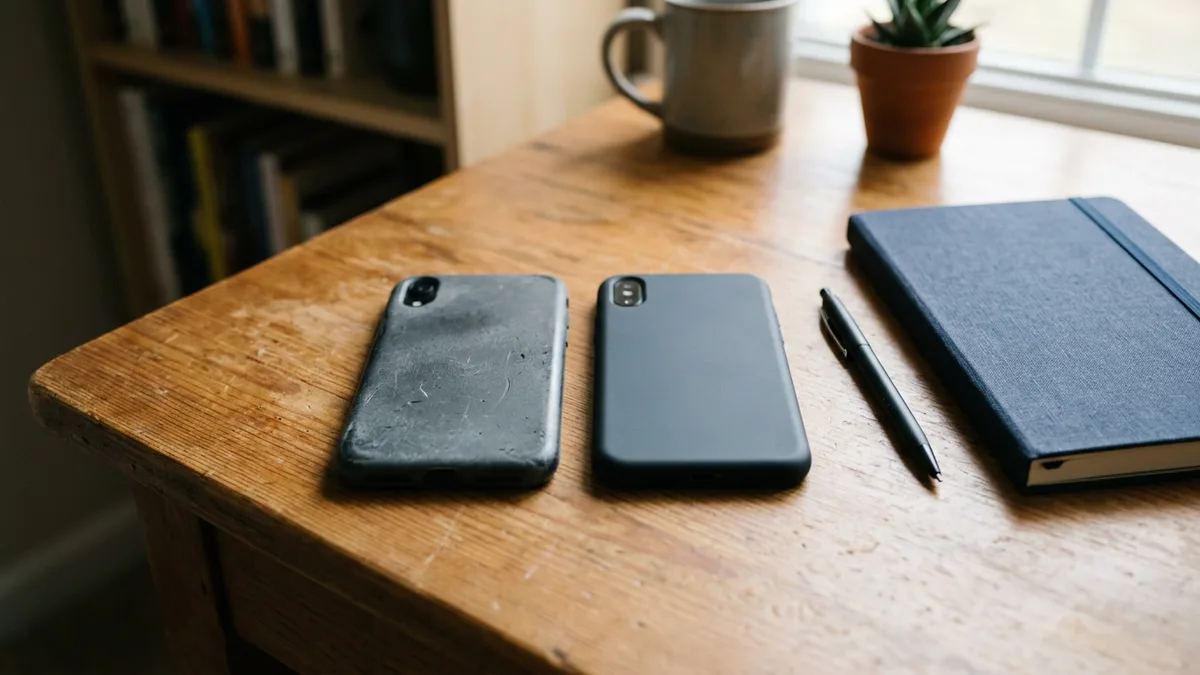
For users who can’t use mobile passkeys, Microsoft’s FAQ lists FIDO2 security keys, verification codes from Microsoft Authenticator or another code app, and a paid telephony provider. It adds that code apps aren’t phishing-resistant and won’t satisfy a Conditional Access policy that requires phishing-resistant sign-in, and that third-party code apps are enabled by default unless an administrator turns them off. Whether any of those suits a given person is a conversation to have with your IT provider, not something to guess at in January. Our comparison of sign-in options for staff without a smartphone sets out what each one costs and where it falls short. Worth doing early. We are still looking into alternatives for clients in this position, and we will not promise a fix before we have one.
This is one of several dates that land on a small business in 2027. The 2027 end-of-support dates piece puts it next to the others.
Before You Call Your IT Provider
Will anyone actually be locked out on February 1?
What happens to password reset?
Does anyone get extra time?
Can a business keep using texts and calls?
What about staff whose phone is too old for the app?
Is a passkey just a fancier password?
Next Steps
Talk with our team about the February 1 change and what your staff will need to do. No cost, no obligation.