
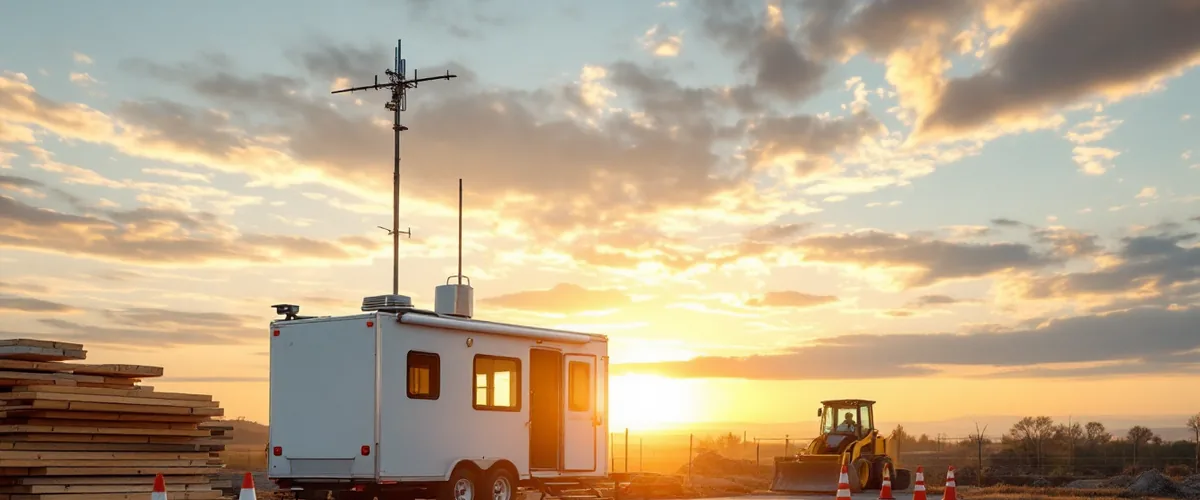
A construction company connects field and office by giving every job site its own internet circuit and its own network segment, then sending only the traffic that truly needs headquarters back through an encrypted tunnel.
The FCC adopted its 2026 broadband report on August 14. Headline number: 96.9% of Americans have access to a fixed terrestrial broadband service at 100/20 Mbps. Almost everybody. Practically solved.
Now go stand on a graded lot in Orangeburg with a trailer arriving Thursday and try to spend that number.
You can’t. The reason is worth understanding before you call a carrier, because it changes what you ask for and who you ask. Most of the connectivity trouble I see on construction IT projects starts with somebody assuming the site is a normal address that a normal provider will treat normally.
It isn’t. It won’t be for another eighteen months.
The Broadband Map Has Never Heard of Your Site
That 96.9% counts locations. Specifically it counts Broadband Serviceable Locations, and the FCC has a written definition of what qualifies. A BSL is “a business or residential location in the United States at which mass-market fixed broadband Internet access service is, or can be, installed.” The whole map is built on a dataset called the Fabric, assembled from aerial imagery, address databases, and tax records.
The FCC’s own guidance is unusually blunt about what does not count. Its list of exclusions names “empty lots with no structures.” It names houses “under construction but not yet habitable.” It even names Burning Man, calling it “a temporary festival village” that “does not contain BSLs.”
Read that list again with your next project in mind. An empty lot. A structure under construction. A temporary village that exists for a while and then stops existing.
Three for three.
None of this is the FCC getting it wrong. The Fabric is a dataset of permanent structures, which is exactly what it was built to be. But it means the availability lookup you ran on the parcel address is telling you what a provider would sell to a finished building on that lot in some future year.
Not what anyone will install on Thursday.
Split the List Before You Call Anyone
The first question on a new site is not which carrier. Designing a construction company field office network starts with a narrower question, and almost nobody asks it. What on this job has to reach the office at all? Ask it out loud.
Fewer things than people assume. Most of what a project team touches during the day now lives in somebody’s cloud, which means it needs the internet and has no interest in your headquarters. The list that truly needs a path home is short. Write it down before anyone quotes you anything.
| What the field uses | Where it lives | What the site link has to do |
|---|---|---|
| Email, Teams, and shared files in Microsoft 365 | Vendor cloud | Reach the internet. Nothing more. |
| Daily reports, RFIs, and photo documentation (Procore, Autodesk Construction Cloud, and their peers run in a browser) | Vendor cloud | Reach the internet, with real upload capacity |
| Accounting and job cost, when the software is installed on a server you own | Your office | Tunnel, or publish it through a remote session |
| The office file server, opened directly across the link | Your office | Tunnel, and this is the one that disappoints people |
| Site cameras, gate controllers, the plotter in the trailer | The site | Stay local. Do not route these home. |
Row four is the one that hurts. Opening a large model or a full drawing set straight off an office server, across a link that has a fraction of the office’s bandwidth and a lot more delay, produces the exact slowness people blame on their design software. We took that apart in detail in what BIM and large CAD files do to a network. The short version travels well. The file did not get bigger when it left the building. The pipe got smaller and the round trip got longer.
Sort the list this way and something useful falls out. If four of five items only need the internet, then what the site needs is a good internet connection and a narrow tunnel. Not a branch office. Not a second network to run.
That distinction is most of the budget.
Lead Time Decides This More Than Bandwidth Does
Four ways to get a circuit to a trailer. Sort them by how long they take, not by how fast they are, because on a mobilization schedule those are different rankings and only one of them is on the critical path.
Sometimes the building already has service. Renovations, fit-outs, and tenant improvement work occasionally hand you a live demarc on day one, which beats everything else on this list for performance and costs almost nothing to use. It also only shows up on the jobs where somebody else already built the building.
Fixed wireless and cellular sit at the other end of the lead-time scale. Hours, sometimes the same afternoon. That is why they win so often. Nationally, the FCC’s 2026 report counts 23 states where more than half of all locations can now get fixed wireless at 100/20 Mbps, and in the built-up parts of Rockland, Westchester, and Bergen it is the realistic default for a site that needs to be working this week.
Then there is ordering a wired circuit fresh. Weeks if you are fortunate. Months is normal, and on a raw parcel the install turns into its own small construction project, complete with pole work, easements, and sometimes a trench across ground your own crews are about to disturb. Order it during preconstruction or do not order it.
Satellite is the answer for the site where no terrestrial signal reaches at all. Hardware up front. A real monthly after that. It earns its keep on long jobs in places the carriers skipped, and nowhere else.
The rule I would give any contractor is boring, and it works. Put the wireless link in on day one regardless, and if the schedule justifies a wired circuit, order that in parallel. When the wired circuit finally lands, the wireless one demotes itself to failover, which is what you wanted anyway.
You bought redundancy by accident. That is the good kind.

The 100.64 Problem
Log into the site router and read its WAN address. If it starts with anything from 100.64 to 100.127, that is not a public address and nothing on the internet can reach it. The check takes two minutes.
That range is called Shared Address Space. The IETF set it aside in RFC 6598, back in April 2012, for one purpose: to let carriers put many subscribers behind a single public address using carrier-grade NAT. Most cellular data plans work this way, and plenty of fixed wireless does too.
Which has consequences.
Nothing at your office can open a connection toward the site. Port forwarding does nothing. Remote support tools that expect to reach in and find a listener will not find one. If a provider’s plan for supporting your trailer involves connecting to it, ask what happens behind carrier-grade NAT and listen carefully to the answer.
Some of them have never had to answer that.
The fix is not exotic. Build the tunnel so the site dials out to the office and holds the connection open, rather than the office reaching in. Any business-grade firewall sold today does this. Some carriers will sell you a static public address as an add-on and it is often worth the money, but design as though you will not get one, because on a site that mobilizes in nine days you probably will not.
Upload Is the Number That Runs Your Day
The FCC’s mobile 5G benchmark is 35 Mbps down and 3 Mbps up, and by that measure almost 95% of American homes and businesses are covered.
Three megabits up.
Now picture the actual workload. A superintendent pushing a day of photo documentation. A PM syncing a marked-up set. Two people on video with the office while somebody else uploads a delivery ticket. Field work is an upload workload, and almost every plan you will be quoted leads with the download number because that is what sells residential service. Nobody advertises upload.
Ask for the upload figure first. When a carrier gives you a range, assume the bottom of it, at four in the afternoon, with the whole trailer online.
Then add a little pessimism.
The Trailer Is Not a Branch Office
NIST puts this better than I can. Its guidance on remote access, SP 800-46 Revision 2, says an organization “should assume that external facilities, networks, and devices contain hostile threats that will attempt to gain access to the organization’s data and resources.”
A job trailer is an external facility under any reading of that sentence. It is unlocked through the working day. Sub crews walk in and out. Inspectors, delivery drivers, and the owner’s rep all pass through, and half of them will ask for the wireless password before they ask anything else.
Most of them get it, too.
So the site gets its own segment, and the tunnel carries named applications rather than the whole network. Visitors and sub crews get a separate wireless network that reaches the internet and nothing else. This is ordinary firewall and network segmentation work, part of the same managed IT baseline any office already runs on. Nothing about it is construction-specific. It is simply the difference between a site connection and a hole in your office.
The related decision comes up at every firm running more than one site. Should remote access be a traditional tunnel, or something more granular? We laid that tradeoff out in VPN versus Zero Trust for a small company. For a contractor running two or three concurrent jobs, a tunnel carrying a short list of applications is usually the honest answer, and the more granular model earns its cost later.
Worth saying plainly. A firm with an office and three live sites is a multi-location business, whatever the org chart calls it. The standards problem is identical, and it does not care that two of the locations have wheels. Most of what changes when a business runs multiple locations applies here without modification.
Standardize the Kit So Site Seven Takes an Afternoon
One router model, one firmware version, one configuration template. Every site.
The antenna is the part people skip and then regret, because a cellular router sitting on a desk inside an aluminum box is a cellular router with a bad view of the sky. External antenna. Mounted high. Cabled properly.
A small switch. A UPS, because generator power on a site does things to electronics that office power does not.
Wireless coverage sized honestly. The trailer plus the immediate yard, not the whole site, unless somebody is paying for the whole site.
Printing, which sounds trivial until the day a set has to come off a plotter for an inspector standing in front of you.
And a photograph of the finished rack, taped inside the door, with the cables labeled. Whoever touches it at seven in the morning will not be the person who built it. Label accordingly.
The first site you standardize takes a week. The seventh takes an afternoon, because nothing is being decided twice. That is also what makes support work. When someone calls from a trailer, a 15-minute response from a team that already knows exactly what is in that trailer is a different product from a 15-minute response that begins with questions. Standardizing the kit is how VJNetworks keeps the second version from happening.
Demobilization Is a Network Job Too
Closeout gets a punch list for the building. The network rarely gets one. Nobody writes it.
Five things belong on it. The circuit contract, including whose name is on it and whether it auto-renews past the job. Accounts for temporary staff and sub personnel, disabled the week they leave rather than the year they leave. The router, wiped and reset to the template instead of shipped to the next site carrying the last job’s configuration. Project data, moved to wherever your record copy actually lives. And the documentation, updated to say the site is gone.
Boring, all five. Also the difference between a finished project and a finished project that still has a live path into your network two years later.
Ask which of your closed jobs is which. Most firms cannot say.
If you want the budgeting side of all this, we covered what managed IT costs for a small business in Rockland, Westchester, and Bergen in its own piece, and the site layer is the part that moves a construction number away from an office-only one. Design the connection first. Deciding this before mobilization costs a phone call. Fixing it in month three costs a schedule.
Before the Next Trailer Lands
The site has three bars of service. Why is nothing loading?
Can we run off the super’s phone until the real connection shows up?
Which comes first, the connection or the trailer?
Our accounting runs on a server in the office. Does it have to move to the cloud for this to work?
How do we keep sub crews off the network our project team uses?
The job is six weeks. Is any of this worth doing?
A free IT assessment covers your office and your live job sites, and tells you which connections will hold and which one is about to become a problem. No obligation, and you keep the findings either way.