

Before filing season, ask your IT provider what your tax software will not run on, who owns your IRIS registration, how long a real restore takes, and what happens if the server dies on April 10.
There is a version of this conversation that goes nowhere. The owner asks whether everything is ready for tax season, the provider says yes, and both people leave the room satisfied. Nobody lied. Nothing got checked either.
The fix is not a longer meeting. It is narrower questions, asked in the fall, that a provider either has an answer to or does not. I run the technical side at VJNetworks and my team supports accounting and CPA firms across Rockland, Westchester, and Bergen, so these are the six I would want asked of me.
One clarification before the list. If you want the things your firm should fix on its own, that is a different piece, and we wrote it as the pre-January checklist. This one is about what you should be getting from somebody you already pay. Provider readiness, not firm readiness.

What Will Our Tax Software Not Run On?
Start here, because it is the only question on the list with a published right answer that almost nobody looks up. Read the vendor’s own page.
Every major desktop tax package states in writing what it will not support, and those lists are more restrictive than most small-firm setups assume. Intuit’s published requirements for ProSeries say plainly that “terminal server environments aren’t supported” and that network-attached storage “isn’t supported due to the lack of a Microsoft Windows-based operating system.” Lacerte, from the same company, does run on Remote Desktop Services or Citrix, at roughly 2 GB of RAM per user, and also refuses NAS. Drake Tax is blunter still: “Installation of Drake Tax to a Network-attached storage (NAS) drive or device is not supported.”
Read those two Intuit lines next to each other. One vendor, two answers. Lacerte is happy on a terminal server. ProSeries is not, and says so in writing. So when a provider meets the seasonal remote-access question with “we will just put everyone on a terminal server,” the plan is right for one package and quietly wrong for the other, and nothing you can see from your side of the desk will tell you which one you got.
The NAS detail catches more firms than the terminal-server one. A twelve-person practice with a Synology or a QNAP in the closet believes it has a server, and for file storage it does. Not to the tax software vendor. What follows is rarely a refusal to install, because the software may go on without complaint and appear to run normally. The problem shows up when something goes wrong and the vendor’s support team discovers the software is running in an unsupported configuration.
| Tax package | Network-attached storage | Remote Desktop or Citrix | Memory the vendor asks for |
|---|---|---|---|
| Intuit ProSeries (tax year 2025) | Not supported | Terminal server environments not supported | 8 GB |
| Intuit Lacerte (tax year 2025) | Not supported | Supported, about 2 GB of RAM per user | 12 GB minimum, 16 GB recommended |
| Drake Tax | Not supported | Dedicated server recommended, peer to peer also documented | 8 GB |
Ask which row describes your office, then ask when anyone last checked, because these documents move every year. Check the version numbers. Lacerte’s 2025 requirements dropped Windows 10 off the supported list entirely, and Microsoft stopped shipping free security updates for Windows 10 on October 14, 2025. A workstation nobody has thought about since 2022 is now two separate problems wearing one case.
Who Owns Our IRIS Registration, and by When?
This one has a date attached. November 19, 2026, at 3 p.m. Eastern. Write that down.
That is the last moment anybody can file supported information returns through FIRE, the system firms have used for forms such as 1099s for years. Tax year 2026 information returns, the ones filed during the 2027 season, go through IRIS instead, and the IRS has been telling filers to move well ahead of the cutoff. Two quieter dates sit in front of it. November 1 closes the FIRE test system. November 9 is the last day to change an Information Returns Application for a Transmitter Control Code.
A TCC is not software. Somebody owns it. It is a credential tied to an application with named people attached to it, and reassigning one or applying for a new one is administrative work with a review queue behind it, which is exactly the sort of thing that has to be finished while nobody at the firm is busy yet. IRIS runs two channels. The free Taxpayer Portal lets filers submit up to 100 returns at a time, while the Application-to-Application path allows compatible third-party or custom software to transmit much larger volumes directly. For firms processing large numbers of information returns, deciding which path to use is a real project and not a checkbox.
So ask who is doing it. Not whether it is handled. Get a name, a date, and an honest answer about what January looks like if that date slips.
How Long Does a Restore Take, and What Comes Back First?
Most owners ask whether backups are running. Wrong altitude.
Backups running is table stakes, and it is also an answer a provider can give without knowing a single thing about your firm. The version worth asking has a number in it and an order. How many hours from the phone call to a preparer working again, and which system comes back first.
Sequence matters more in a tax practice than in most businesses, because the work has a dependency chain running through it. Restore the file server ahead of the tax application’s database and you have handed everyone a folder of documents that will not open. Restore the document management system before the scan workflow and paper stacks up at the front desk while every dashboard reports green. A provider who has thought about your firm specifically can name that order out loud. One who has not will describe the backup product instead. Order first, technology second.
Ask for the date of the last test restore and what you were handed afterward. A provider who pulled your 2024 workpapers back on a Wednesday in July and watched the file open will say so without being asked twice, and that answer is checkable. “Backups are monitored” is not checkable, and the distance between those two sentences is the entire reason to ask. Our backup and disaster recovery work is built around closing it.
What Are You Changing Between Now and January?
Providers do maintenance. That is the job, and you want them doing it. The question is scheduling, and specifically what the last safe date is for each item on the list.
Firewall firmware. A server operating system upgrade. A Microsoft 365 tenant change, a switch replacement, a move from on-premise tax software to a hosted version. Every one of those is a reasonable project, none of them belong in the second week of February, and a few need six to eight weeks of ordinary use afterward before anyone can honestly say they went cleanly.
Get that list in October. Put dates on it. Anything undated is a thing that happens when somebody has a free afternoon, and free afternoons at an IT company have a habit of landing in the same weeks your firm is drowning.
Then ask for the other half, which is a freeze window in writing, with a start date, an end date, and a definition of what counts as an exception worth breaking it for. Get it in writing. A provider who has carried an accounting client through a filing season already has a version of that answer. One who has not will tell you they work carefully. Different thing.
How Fast Does a Seasonal Preparer Go From Hired to Working?
Measure that one in hours, not in willingness. Ask for a number.
A firm onboarding four preparers in the first full week of January is asking its provider for four accounts, four license seats, multi-factor enrollment on every system that touches taxpayer data, scoped folder permissions, and a workstation already carrying the right version of the tax software. Any single one of those is trivial. That is a queue. All five tasks, four times over, during a week when every other client of that provider is also ramping up, add up to a capacity question rather than a service request, and the honest version of the answer comes back in hours rather than in reassurance.
Multi-factor is not the step to skip for a twelve-week hire, whatever the January pressure suggests. The IRS lists it among the Security Six protections it expects of tax professionals, and the FTC Safeguards Rule requires it for any individual accessing an information system unless the firm’s qualified individual has approved equivalent controls in writing. A shortcut taken in January is a finding two years later.
One more piece, and it is the piece nobody schedules. Ask that the removal date be set at the same moment the account is created. Do it in January. Put April on the calendar before April means anything to anyone, because an account created in a hurry gets removed in a hurry or, far more often in the offices I walk into, never gets removed at all.
What Happens if the Server Dies on April 10?
Not a ransomware hypothetical. A hardware question.
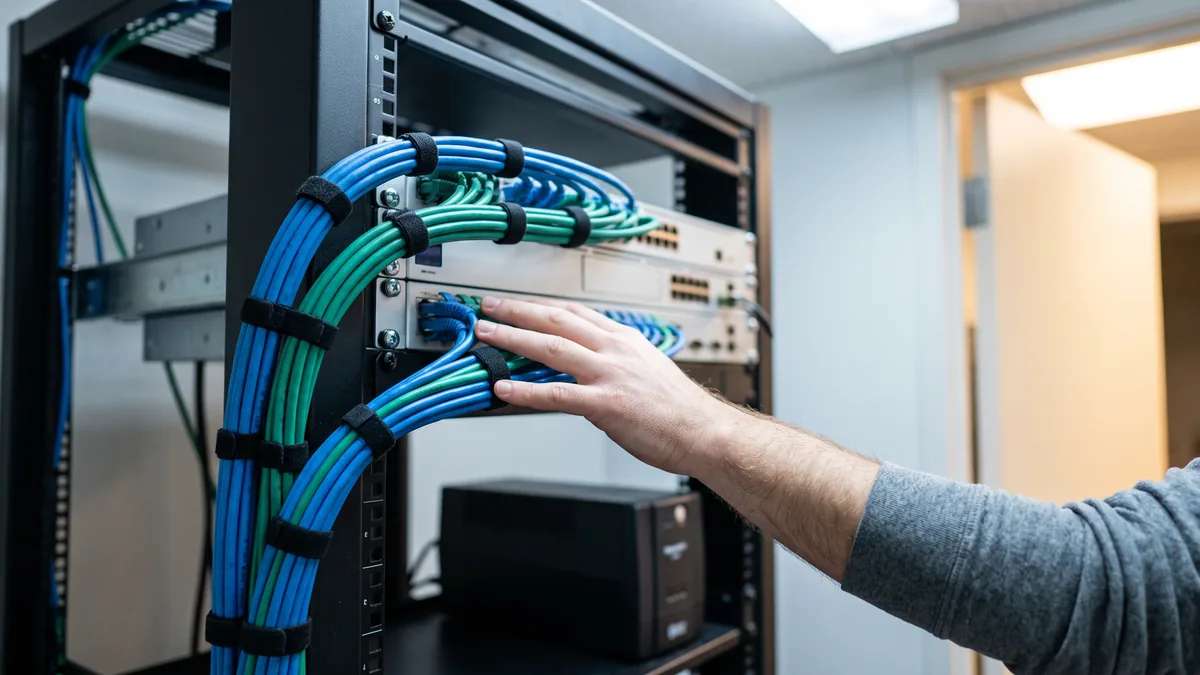
Power supplies fail. Drives fail in pairs more often than the arithmetic suggests, because they were bought the same day and have run identical hours ever since. Cause aside, what matters is what your firm does for the next six hours, and the answer is either a documented plan or a call to a distributor and a lot of hoping.
There are only a handful of honest answers. Spare hardware sitting on a shelf. A virtualized environment that can come up somewhere else. Tax software already hosted, so a dead server is an inconvenience rather than a stop. Intuit itself steers macOS firms toward hosted options rather than unsupported local installs, and hosting is a great deal easier to price out on a quiet Tuesday in October than to arrange over the phone on the second Friday of April with eleven people standing in a hallway waiting to work.
Ask what the plan is. Then ask when it was last tested. Then wait. The length of the pause after that second question tells you most of what you came to find out.
What You Are Really Testing
Six questions, one underlying test. Does this provider know your firm, or does it know its own service catalog?
Catalog knowledge is easy to produce and it generates answers that are technically correct and useless to you. That is the test. Knowing the firm means being able to say which workstation is on borrowed time, which preparer works from home on Sundays, and what the last restore actually proved, and none of those three facts arrives through a monitoring dashboard or a quarterly report. It comes from somebody paying attention during the ten months a year when nothing is on fire.
We tell clients that someone from my team responds within 15 minutes during business hours, and the number matters less than what it implies about staffing. A provider promising to be faster in February than it manages in September has not solved anything. It has moved the problem to the month you have the least room for it. For a shorter year-round version of this exercise, our proactive versus reactive self-test takes about ten minutes.
None of the six require you to be technical. They require specific answers, and judging whether an answer is specific is a much easier skill than judging whether it is correct. Specificity is the tell.
What Owners Push Back On
Our provider has been fine for three years. Do I really need to run through this?
Our tax software is in the cloud. Does any of this still apply?
When in the year should this conversation happen?
What if my provider gets defensive about being asked?
We are a three-person practice. Is this overkill for us?
Should any of these end up in the contract?
We will run the same six questions against your firm’s actual setup and send you the answers in writing before filing season starts. No obligation, and the findings are yours either way.