
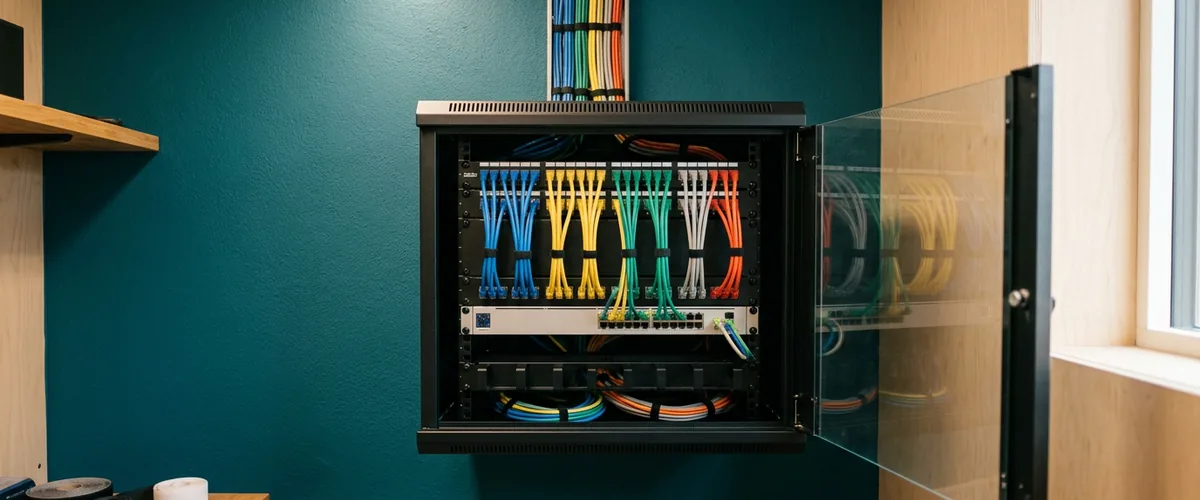
Standardize multi-location IT one layer at a time in a fixed order, identity, then endpoints, then network, then backup, cutting over a single site per window and leaving the old path running until the new one proves out.
Order carries most of the work here. Not speed. Run it backwards and you will spend a Saturday rebuilding firewall rules around a set of accounts you are about to replace anyway, which is a very specific kind of wasted weekend. Run it one site at a time and the other buildings never find out it happened. Nobody notices.
What follows is the operational half of this problem. The strategic half, whether to centralize, whether your footprint actually justifies SD-WAN, what changes the day you open a second door, is already covered in why businesses with multiple locations need a different IT strategy. That piece handles the decisions. This one assumes you have made them and want to know what happens Monday morning, in what sequence, and how to get through it without a site losing a day. Both sit under our multi-location IT support work.

Inventory First, and It Is Worse Than You Expect
You cannot standardize what you have not written down. Everybody agrees with that sentence and then skips the step, because it is unglamorous, it eats weeks, and what it produces at the end is a spreadsheet rather than anything an owner can watch working.
The NIST Cybersecurity Framework 2.0 gives you that split across three of its asset management outcomes, and borrowing them exactly as written is worth doing. ID.AM-01 asks that “inventories of hardware managed by the organization are maintained.” ID.AM-02 covers “inventories of software, services, and systems.” Then ID.AM-03, the one almost nobody does, “representations of the organization’s authorized network communication and internal and external network data flows.” Three lists. Not one. The third is where the value hides.
Hardware you can walk around and count. Easy enough. Software and services take longer, since a fair number of them turn out to be subscriptions somebody expensed. Data flows are hard. They are also the list where a tunnel between two sites that nobody has examined since the week it was built finally gets written down and looked at properly.
Here is what we collect at VJNetworks per site, before touching anything.
| Layer | What to record | The field everyone leaves blank |
|---|---|---|
| Accounts | Every login used at that site, which are local-only, which carry admin rights | Service accounts nobody remembers creating |
| Endpoints | Make, model, age, OS build, encryption state, assigned user | The three machines in a closet that still power on |
| Network | Circuit ID, ISP, contract end date, firewall model and firmware, VLANs in use | Whose name the ISP account is actually in |
| Applications | What runs only at that site, where it is hosted, who supports it | The database sitting on one desktop under somebody’s desk |
| Backup | What gets backed up there, where the copy lives, retention | The date somebody last restored from it |
That last column is not a joke. It is where the real work hides. Budget weeks rather than days, and expect most of that time to go on chasing answers about equipment somebody inherited rather than on anything technical. Least satisfying phase of the project. Grind through it anyway, because it decides whether everything after it works.
Why the Order Matters More Than the Speed
Each layer sets the scope of the one after it. That is the entire argument for the sequence, and once you see the dependency the urge to reorder things for convenience tends to go away. Usually.
Identity first, always
Everything downstream keys off who a person is. Device policy, file permissions, remote access, mail security, the rules that decide whether a login from an unfamiliar location gets challenged. Do endpoints before identity and you are writing policy against accounts that are about to move, which means writing all of it a second time. Twice is the wrong number.
One structural question has to be settled before any of that, and it is not a technical question. A single company with five locations is not the same problem as five separate companies that happen to share an owner. The first can converge into one tenant with groups built by role. The second cannot, or at least not cleanly, and pretending otherwise builds a licensing and permissions knot that takes longer to unpick than it took to tie. Settle that one early.
After that, the identity standard is short. One directory. One naming convention. MFA on everything, with no per-site carve-outs allowed. Groups organized around job function rather than around buildings, because a bookkeeper in Nanuet and a bookkeeper in Paramus need exactly the same access. Microsoft’s Conditional Access documentation describes these policies as if-then statements combining signals like user, device, and location before access is granted, which is the right shape for a business with more than one address. The location signal earns its keep here. In a single office? Nothing.
Endpoints second
Now device policy has something to attach to. In practice that means one baseline profile every machine receives regardless of address, then site-specific settings layered on only where a real difference exists. Microsoft’s guidance on Intune device configuration profiles frames it the same way, a baseline of profiles all devices must have, with more configuration added by need.
Provisioning is the piece that actually solves the new-site problem, though. Microsoft’s Windows Autopilot documentation is unusually blunt about the goal, that from the IT side “the only interaction required from the end user is to connect to a network and to verify their credentials.” A laptop ships from the vendor straight to a site you have never set foot in, somebody unboxes it, signs in, and it arrives configured. Enforced beats documented. Every time. It is the difference between a standard and a memo about one.
Pick one OS build target, one encryption standard, and one endpoint security product. Then organize patch rings by role instead of by building. Finance can sit a week behind the pilot ring quite happily. Finance in three different towns should not be running on three different schedules. Same role, same ring.
Network third
By now we know which accounts and which devices belong at each address, so firewall rules get written from a list instead of from memory. Same vendor at every location where we can manage it. Same firmware target. One rule template with a documented per-site delta, and guest wireless isolated from everything by default rather than by exception. Segmentation between sites matters more than most owners expect, because the value of converging identity evaporates the moment a compromised machine at one location can reach a file share at another without crossing a single control on the way.
We are deliberately not relitigating VPN against SD-WAN here. That decision belongs to the strategy piece linked above, and it does not change the sequence either way. Whichever transport you land on, the firewall and network security standard is one document applied at every address.
Backup last, and not because it matters least
Backup scope is a function of everything above it. Every layer feeds it. What sits on the endpoints, what moved into SharePoint during the identity work, which line-of-business application at which site still writes to a local disk. Standardize backup first and you spend real money carefully protecting a layout that is about to change underneath you.
CISA’s small business backup guidance is the plainest version of the standard, three copies of important files, two different types of storage media, one copy stored off-site away from your business location. The line worth reading twice is the testing one. It says a business should be able to restore data both fully and partially and roll back at least seven days. Across locations that means a restore test at every address, not one test at headquarters that everyone agrees probably represents the others. It does not represent them. Sites drift, which is the reason you are reading this, so our backup and disaster recovery standard treats each address as its own restore test until it has proven otherwise.

Write the Build Sheet Before You Build Anything
A standard that lives in somebody’s head is not a standard. It is a habit. Habits do not survive that person taking a vacation the week a new site opens.
NIST defines a baseline configuration as “a documented set of specifications for a system, or a configuration item within a system, that has been formally reviewed and agreed on at a given point in time, and which can be changed only through change control procedures.” That definition sits in NIST Special Publication 800-128, the guide for security-focused configuration management. Read the last clause again. All the weight sits there. Documented and agreed is the easy half. Changed only through change control is the half that quietly fails about a year in, usually without anyone noticing until the next inventory.
Our build sheet runs two pages. It covers the firewall model and rule template, the wireless configuration and SSID naming, the switch and VLAN layout, the standard workstation spec, the endpoint policy set, the printer standard, where the local documentation lives, and the named on-site contact. Eight things. A location built from that sheet comes online looking like every other location on day one, instead of getting corrected into line a year later once the local habits have set hard.
Cutting a Site Over Without Taking It Down
Downtime in a rollout like this is almost never caused by the change itself. It comes from changing two things at once and then having no way to tell which one broke. One variable per window. We have never found a shortcut around that, and we have looked.
Six rules govern how we run a site. The first is the one clients argue with, so it goes first.
- We do not stack an Entra ID cutover and a firewall swap into the same Saturday, no matter how much tidier the project plan looks that way, because when something goes sideways at nine in the evening you want one suspect rather than two.
- Five to ten pilot users, never the whole building. We mix the roles and we deliberately include whoever complains fastest, since a silent pilot group is not a passing grade. It usually means nobody has tried the thing yet.
- Disable, do not delete.
- The rollback is written before the window opens and it carries a clock, and ours is forty-five minutes. If the pilot group is not working by then we back the change out and take another run at it the following week. The decision you make at 11pm about pushing through is never the decision you would have made at two in the afternoon, and I have watched that go badly enough times to stop negotiating with it. Export the live firewall config first, incidentally. Not the copy sitting in the vendor portal. The one actually loaded on the box, which is more often a different file than anybody expects.
- Who at that site has hands? Remote handles most of a cutover. Most is not all, and working out which one you are dealing with at 9pm on a Friday gets expensive.
- Then the site manager gets one sentence about the single thing their people will notice on Monday. Not a change-management email. Nobody reads those.
| Layer | What users actually notice | Rollback trigger |
|---|---|---|
| Identity | One extra sign-in and an MFA re-prompt | Sign-ins failing for anyone outside the pilot group |
| Endpoints | A reboot and a slower first login | Encryption or patch policy not applying across the pilot machines |
| Network | A short drop while the firewall reloads | Anything that worked before the window not working after it |
| Backup | Nothing, if it was done correctly | A test restore that does not complete |
We run the old and the new backup jobs in parallel for a full retention cycle before switching the old one off. Yes, you pay twice. For a few weeks. It is the cheapest insurance anywhere in this project and I have never once regretted it.
Keeping Drift From Coming Back
Standardization has no end date, which is an irritating thing to tell somebody who has just finished one. Configurations decay. Four mechanisms do most of the damage, and only one of them is really anybody’s fault.
Somebody at a site needs a switch on Thursday and buys one. Understandable, honestly. The other three are structural rather than careless. An application turns up that only exists at one address, usually something a department bought without mentioning it to anyone. A landlord or an ISP change swaps the circuit out from under a firewall rule that was perfectly correct the day it was written. Or you acquire a company, and it arrives carrying its own directory, its own firewall vendor, and its own strongly held views about both.
NIST frames the ongoing goal as managing and monitoring configurations “to achieve adequate security and minimize organizational risk while supporting the desired business functionality and services.” The second half of that is the part I would underline. A standard that blocks the business gets routed around quietly, usually inside a quarter, and nobody tells you it happened. You find out later. In an inventory.
So we keep the guardrails light enough to survive contact with people who have real work to do. Anything with an IP address goes through one person before it gets bought. One person, not a committee. That single gate handles most of the Thursday-switch problem by itself, and it costs nobody anything except a short email.
The exception register handles the rest, and it is usually just a spreadsheet. Every deviation goes in it, with why it exists, who signed off, and when somebody looks at it again. Sites are allowed to differ. Just not by accident. Then we re-inventory monthly against the build sheet, monthly rather than annually, because a month of drift is a conversation and a year of it is a project.
One more that gets skipped constantly. Offboarding has to run through the same identity system as everything else. A departure handled locally at one site, where somebody disables the desktop login and forgets the shared credentials sitting in BitWarden, is drift with a security tail on it.
What This Costs and How Long It Takes
I will not quote a number cold, and I would be a little wary of anyone who does. My first move is diagnostic. What is in place now, what is genuinely missing, how many people sit at each address, and how far apart the sites already are.
Two things move the estimate further than anything else. Just two. Whether identity already lives in one tenant, which can shift the schedule by months by itself. And whether you are one company with several locations or several companies under common ownership, because that decides what is able to converge at all.
Several locations under one company cost less to manage than the same headcount split across separate entities. Structural, not a pricing trick. One directory, one policy set, and one help desk queue are cheaper to run than three of each, and the saving turns up in hours before it ever turns up on an invoice. VJNetworks managed IT services start around $995 a month and scale with headcount and site count, all-inclusive, with every location on the same standard rather than on whatever headquarters happens to have ended up with. When something breaks at any of them, someone from my team responds within 15 minutes during business hours. That matters considerably more at the site forty minutes up the road than at the one down the hall. The help desk stays one number whichever building is calling. One number, five sites.
Over 20 years of doing this I keep seeing the same split. Businesses that standardize deliberately spend a dull, finite stretch of work and then stop thinking about it. Businesses that standardize reactively spend the same effort smeared across years, and nearly every hour of it while something is already broken.
What Owners Ask Before We Start
Five sites, zero documentation. Where does that realistically start?
Our locations have no quiet hours. Can this be done without a maintenance window?
The newest site was set up by an office manager three years ago. Rebuild it or fold it in?
We have one location that genuinely needs something different. Does that break the standard?
Does every location need identical hardware?
Six months after we finish, what actually breaks this?
A free IT assessment inventories every site, shows you where the configurations diverge, and gives you the sequence to close the gap. No cost, no obligation, and the findings are yours either way.