
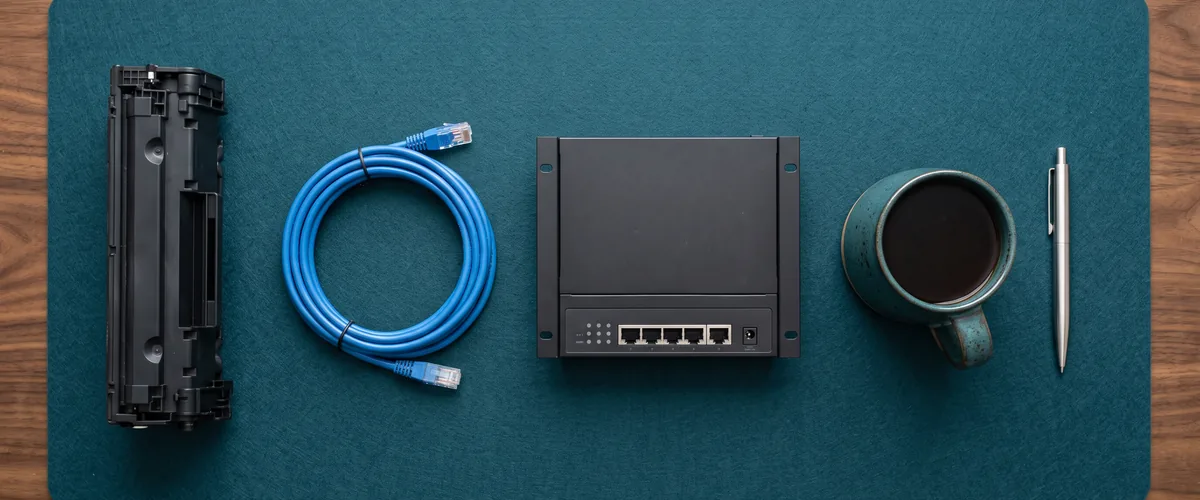
An IT support contract in Rockland County covers unlimited support, endpoint security, network maintenance, your Microsoft 365 or Google Workspace tenant, backups, compliance help, and vCIO planning. Hardware, materials, and toner are billed separately.
Most IT contracts run three or four pages. One paragraph in the middle matters. It is the scope section. Usually the shortest thing in the document. Almost always the vaguest.
Owners sign anyway.
I understand why. The rest of the page is liability language and notice periods, and the scope reads like it covers everything right up until the first invoice arrives with a line on it nobody expected. So here is our scope section written in plain English, with the exclusions called out as clearly as the inclusions, because the exclusions are where nearly every argument between a business and its IT provider begins.
This is what our managed IT services agreement covers for a business with five to sixty employees in Rockland, Westchester, or Bergen. Your provider’s list will differ. Ask them to write theirs down this way and put the two side by side.

The Scope Section, Line by Line
Eleven rows. Ten of them sit inside the flat monthly fee. The eleventh never does, and it causes more confusion than the other ten combined, so it gets a row of its own instead of a footnote.
| Line Item | What It Covers in Practice | Inside the Monthly Fee? |
|---|---|---|
| Unlimited support | Phone, email, and remote sessions with no per-ticket charge and no hourly meter. Onsite when remote will not solve it. | Yes |
| Endpoint security and monitoring | Endpoint detection on every workstation and server, plus the monitoring that flags a failing machine before your staff does. | Yes |
| Network security and maintenance | Firewall, switches, access points, firmware, and the configuration documentation that lets anyone on my team pick up your environment cold. | Yes |
| Microsoft 365 or Google Workspace | Licensing, tenant configuration, security settings, mailbox and file permissions, and every admin task behind them. | Yes |
| Line-of-business platforms | Whatever your team runs the business on. For some clients that stretches to a self-managed phone system. | Yes, where we manage it |
| Backup and recovery | Daily backups with restore testing, plus a documented recovery time so you know the answer before you need it. | Yes |
| Patching and updates | Operating system patches, application updates, and firmware, applied on a schedule rather than when somebody remembers. | Yes |
| Repairs | The labor to diagnose, fix, rebuild, and restore a machine. | Labor yes. Parts no. |
| Onboarding and offboarding | Provisioning a new hire’s accounts and device, and pulling access the day someone leaves. | Yes |
| Compliance support and vCIO planning | Implementing and documenting the controls a framework asks for, plus roadmapping, budget planning, and equipment lifecycle tracking. | Yes |
| Hardware, materials, toner | Laptops, servers, switches, drives, cable, and cartridges. | No. Invoiced separately. |
Unlimited Support Has to Mean Something Specific
“Unlimited” is the word providers use most often and define least.
Here is the definition my team works to. You call, message, or email as often as you need to. That is the whole rule. No per-ticket charge, no hourly meter running quietly in the background, no monthly allowance of tickets that resets on the first. Our response commitment is 15 minutes during business hours, and the person who answers already knows how your network is built.
So what do people call about? The list barely moves from one office to the next. Passwords first, by a wide margin. Printers second, and any technician in the field will tell you printers are the single most irritating thing in a building to troubleshoot. Then something that vanished, an email or a folder that was sitting there an hour ago. Then Outlook. Then QuickBooks.
Those five cover most of a week. Every week.
Not one of them is worth generating an invoice over, and that is the entire argument for a flat fee. The alternative is hiring for it. As of May 2025 the U.S. Bureau of Labor Statistics put the median annual wage for a computer user support specialist at $61,860, and that number stops before payroll taxes and benefits. It also stops before the part nobody budgets for, which is that a single hire cannot cover a vacation, a sick day, and a server that picked Thursday afternoon to fall over. Our help desk support exists because that math does not work at twenty people.
The Platforms We Run, and the Ones We Only Touch
Most of what breaks is not the network. It is a platform.
For nearly every client that means Microsoft 365 or Google Workspace, and the contract covers the licensing, the tenant configuration, the security settings, and all the administrative work sitting underneath. One detail worth knowing before you accept anyone’s “we secure your Microsoft 365” line. A large share of Microsoft’s security capability is gated behind specific license tiers, so the sentence means nothing until somebody tells you which license you are actually on. Ask which one. Entra ID conditional access is not in every plan. Neither is the information protection layer that regulated work tends to require.
A smaller point that saves real money. Most offices lean on OneDrive where they should be using SharePoint. OneDrive is the personal version. SharePoint is the company version. Get that backwards and your firm’s files end up living inside one employee’s account, which becomes a genuine problem the week that employee resigns.
Past the big two, the contract covers whatever your team runs the business on. For some clients that includes a phone system they manage themselves. It is not our specialty. It is not theirs either, and somebody has to own it, so we do. One of our construction clients runs a phone system that sits under us for exactly that reason and no other.
Repairs Are Included. Parts Are Not.
Cleanest boundary in the contract. Still the one that catches people.
Labor is covered. The object is not. If a workstation will not boot, then diagnosing it, rebuilding it, restoring the profile, and getting that person back to work all sit inside the monthly fee. The replacement drive is billed. So is the laptop, the switch, the patch cable, and the toner cartridge.
Toner earns its own sentence, because nobody expects to see it in an exclusion list and every office burns through it.
The reasoning is not complicated. Materials are a pass-through with no labor in them, and folding them into a flat fee means either padding everyone’s rate to cover the heaviest printer in the client base or arguing about consumption every month. Neither one ends well. Better to itemize it and move on.
Compliance Help Is Not a Compliance Certificate
We implement controls. We do not audit. We do not certify. Those are separate jobs held by separate firms, and a provider claiming all three should slow you right down.
What makes compliance manageable is that the frameworks mostly ask for the same things. Access control, encryption, patching, backups, logging, training, and a written record showing all of it is happening. The names change by industry. The underlying controls barely do.
New York makes that concrete for a Rockland business. Under General Business Law 899-bb, the SHIELD Act requires any business holding a New York resident’s private information to “develop, implement and maintain reasonable safeguards to protect the security, confidentiality and integrity of that private information.” Smaller firms get a scaled version of that duty rather than a pass, and the statute draws the line at fewer than fifty employees, under three million dollars in gross annual revenue in each of the last three fiscal years, or under five million dollars in year-end assets. That description fits a large share of the professional offices between Nyack and Suffern.
Patching is where a contract does its quietest work. CISA’s guidance for small businesses calls keeping systems patched one of the most cost-effective practices available for improving security posture. It is also the first thing to slip when no one owns it by name. Same story with backup and disaster recovery, where the backup runs fine for two years and nobody tests a restore until the morning they need one.
The Two Line Items Owners Skip Past
Two rows in that table get read as filler. They are the two I would read hardest.
The first is your hiring process. A new person starts and we provision the accounts, configure the device, set the access, and make sure they can print on day one. Someone leaves and access comes off. Same day. The second half is the half that matters, because an active mailbox belonging to a person who no longer works for you is a door standing open with nobody assigned to watch it.
The second is vCIO strategy and roadmapping. Read that as planning, not meetings. Nobody has ever asked me for more recurring calendar invites. In practice it means somebody tracks the age of your equipment, the renewal dates on your licenses, and the point where a server stops being worth repairing, so the replacement lands in a budget you built instead of a decision you make under pressure. That is what virtual CIO planning is for.
What Sits Outside the Contract
- Hardware and materials. Laptops, servers, switches, drives, cable, and toner. Invoiced separately and itemized every time.
- Project work. An office buildout, a full infrastructure migration, or a move into a new suite gets scoped and quoted on its own. Managing whatever comes out of that project lands back inside the contract afterward.
- Software licensing beyond what the agreement names. Add a platform in June and the license is yours to buy.
- One-off support for anyone who is not a managed client. For managed clients, after-hours emergencies are covered by the fee. That distinction gets explained before anyone signs, not after.
None of that should ever be a surprise on an invoice. If it is, the scope section was written badly, and that is a reflection on whoever wrote it.
Where $995 a Month Fits
Scope and price are two different conversations. Providers blur them on purpose.
Ours starts at $995 a month. An office of five to nine people running a clean Microsoft 365 setup with nothing unusual lands right about there. Most businesses in our range land higher, and the things that push the number are server count, compliance requirements, and whether you are running a second location that needs its own firewall and its own internet circuit. We broke the whole thing down separately in what managed IT costs in Rockland, Westchester, and Bergen.
The scope does not shrink at the bottom of that range. A nine-person office in Rockland gets the same eleven rows a fifty-person office gets. There is simply less of it to manage, so it costs less. Same arrangement since 2004, which puts it at over 20 years now. Client retention sits at 97%, and that is the only retention figure I quote, because it is the only one I can prove.
One more clause to read before you sign anything, and it is not in the scope section at all. Check what the document says about who owns your data and your administrative credentials. We wrote about the ownership clause most IT contracts leave out, and it is the single fastest way to find out what kind of provider you are dealing with.
Questions About the Fine Print
Is unlimited really unlimited, or is there a ticket cap buried somewhere?
Who pays when a five-year-old laptop finally dies?
Does the contract cover our phone system?
We are a nine-person office. Is the scope smaller than a fifty-person one?
If we already have someone in-house, does any of this still apply?
How do I tell whether a competitor’s scope section is any good?
Send over your current agreement and we will tell you what its scope section covers, what it quietly leaves out, and what a comparable engagement here would include. No obligation, and if your provider looks solid we will say so.